
Creating a Spot UV Printing File
Spot UV coating is a post-printing finishing technique. It uses high-gloss, transparent, and durable UV varnish to selectively coat printed text or graphics. This process enhances the main theme of the layout while improving the decorative effect of the printed surface. Spot UV is mainly applied in post-printing finishing.
Spot UV coating is a very common technique. After applying Spot UV, text, images, and patterns gain better texture, a more three-dimensional look, and a more artistic appeal. Additionally, it is cost-effective, making it very popular. So how can you use Spot UV coating in printed materials?
PS: If you need a Spot UV coating quote, feel free to contact us for a custom estimate.
Spot UV File Requirements
1. Create the Original Printing File
- Use design software (such as Adobe Illustrator, Photoshop, CorelDRAW, etc.) to design the overall print material.
- Save it in a standard printing file format (PDF or AI).
2. Create the Spot UV Black File
- Based on the original printing file, create a new page with the same dimensions as the original file.
- Use pure black (K100%) to mark the areas requiring Spot UV coating.
- Only retain the graphics, text, or patterns requiring Spot UV; the rest should remain transparent.
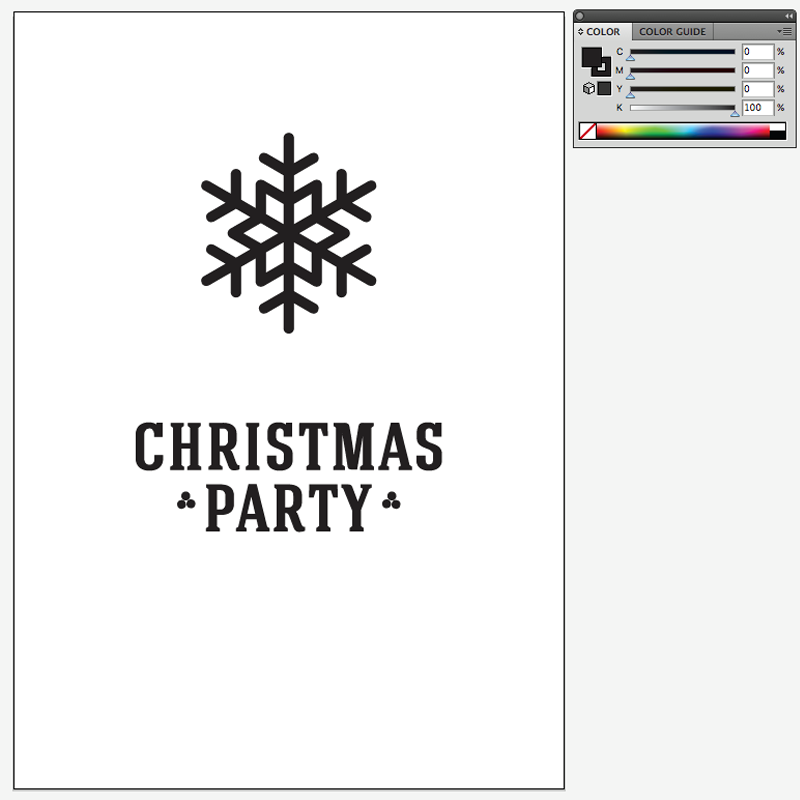
Example: Creating Spot UV for “CHRISTMAS PARTY”
- Original Printing File: The design includes a colorful background and the text “CHRISTMAS PARTY.”
- UV Black File: Only the text “CHRISTMAS PARTY” is retained as vector graphics and filled with K100% black.

Spot UV Coating Guidelines
File Type
- The UV Black File must be a vector file (AI format).
Color Settings
- The Spot UV coating areas must be set in 100% black (K100%), with no other colors mixed.
Design Requirements
- Avoid using very small or overly complex text and graphics to ensure the final effect is satisfactory.
- Text size must be at least 8pt.
- Line width must be at least 0.6pt (0.2mm).
- The distance between two Spot UV areas must be at least 0.7mm.
Trimming Distance
- Spot UV areas must not be too close to the trimming line. Leave at least 2-3mm of distance to avoid UV peeling caused by cutting pressure.
Margin for Error
- Spot UV coating may have a position error of 2-3mm, which is within the normal range. When creating the UV Black File, consider thickening the Spot UV areas by 1-2mm to account for this.