
How to Resolve Color Variation in Printing (part 1)
Why Does Printed Work Have “Color Variation”?
Color difference is an unavoidable issue in the printing industry. Since the color of printed work is reflected through printing equipment and paper quality, various factors contribute to its occurrence. Understanding these causes can significantly minimize color differences.
Causes of Color Variation
1. Differences Between Electronic Screen Colors and Actual Print Colors
This issue arises due to the distinction between the RGB (used in screens) and CMYK (used in printing) color modes. In previous articles, the differences between RGB and CMYK have been explained in detail.
Designers and clients should avoid using screen colors for color matching. Always design in the CMYK mode for printing to reduce discrepancies.
2. Characteristics of Gang Printing
Gang printing combines multiple print jobs on one plate, which may cause: Color shifts in heavily inked areas and inconsistent colors across different sections.
For high color accuracy, consider dedicated plates or spot colors instead.
3. Environmental Influences
Factors like temperature and humidity affect ink drying speed, leading to:
Variations between batches; Differences when the same file is printed at different times.
4. Material Differences
Different papers have varying color presentations. For instance:
Coated paper vs. pearl paper produces distinct visual effects.
Printing on colored or textured paper, such as kraft paper, results in larger discrepancies.
Post-processing methods (e.g., gloss or matte lamination) also impact final colors.
Methods to Reduce Color Variation
1. Calibrating Displays
Professional printing companies calibrate displays to align screen colors closer to print color capabilities. However, due to hardware and gamut limitations, achieving a 100% match is impossible.
2. Using Printing Color Guides
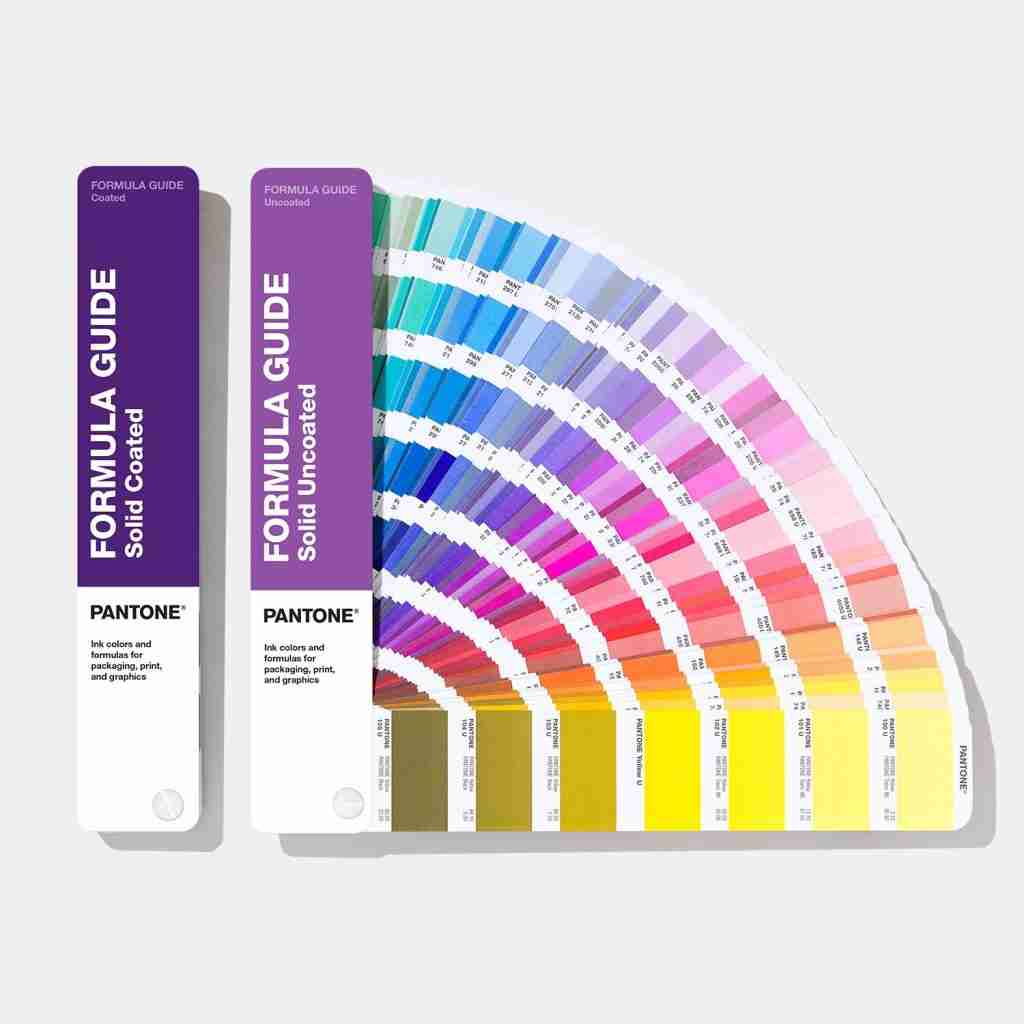
Monitor colors should not serve as print color standards. Refer to printed color guides like Pantone charts to ensure more accurate color expectations.
You can purchase a color guide book or refer to the color charts provided by the printing factory. These color charts closely resemble the colors that the printing factory will produce.
3. Proofing Before Bulk Printing
Create a sample proof to preview results. Adjust designs as needed based on the proof. Note that results may still vary slightly due to different machines or materials.
4. Print Color Matching
Before formal printing, there is a stage called “proofing,” which is used to check the paper feeding, transfer, and receiving conditions, as well as whether the prints are clean, properly aligned, and free from color deviations.
Work with printers to check colors during trial runs (“overprinting” stage). Adjust ink quantities, pressure, and other settings to correct discrepancies.
Many vibrant colors displayed on screens (RGB) cannot be reproduced in printed works (CMYK), so it is essential to consider the print effect when selecting colors during design.
For designers, significant Color Variation often result from improper color use during design. Certain colors require special attention in the design process.
Using Black
For text and fine lines:
Use single black (C0 M0 Y0 K100). Multi-color black may cause misalignment, resulting in blurry text.
For large black areas:
Use two-color black (C40 K100) or four-color black (C50 M40 Y40 K100) to avoid grayish effects. Single Black (C0, M0, Y0, K100) may appear grayish when printed due to low ink volume and thin ink layers. Adding other colors to single black can make it appear richer and more solid.
Avoid using software default black (C93, M88, Y89, K80). In CMYK printing, the total ink coverage should ideally stay below 300 to prevent issues such as smudging or bleeding.
Other Colors
Be cautious with colors like purple and brown, which are prone to shifts. The reasons will be explained in detail in the next article.